
It was all about SKY in this lesson- replacing sky, to be exact.
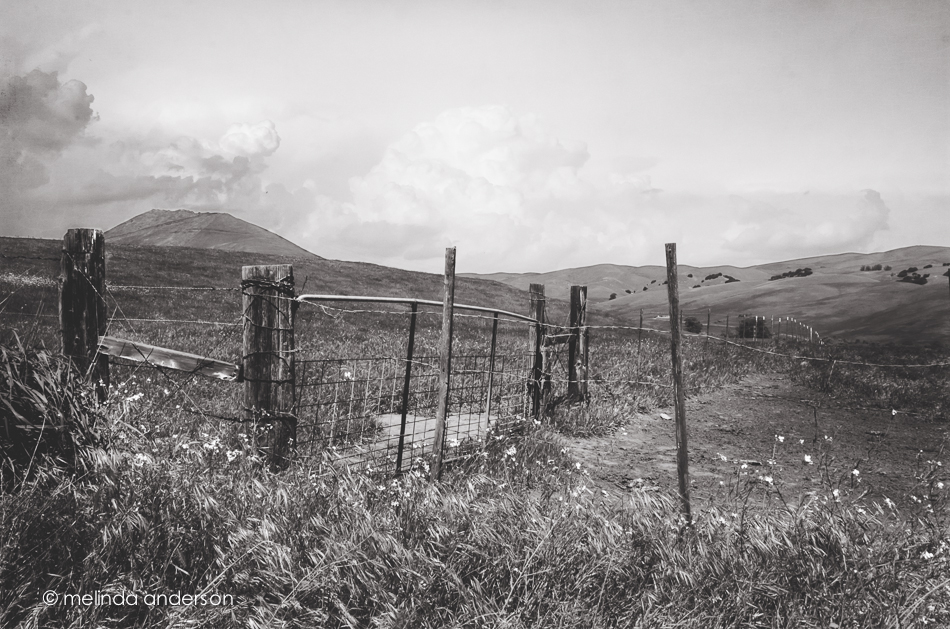
There was not a cloud in the sky yesterday when I walked over to the open space in my neighborhood to take this photo. I took a few shots, mindful that I was going to have to use the Quick Selection tool in Photoshop when I edited this photo. Selection tools and cloning and healing brushes were the hardest things for me when I first started photo editing. I have become fairly proficient with cloning and healing, but tend to avoid the selection tools most of the time. I like brushing best- so often use Quick Mask, which I learned in Damien Symonds’ class, instead of the other selection tools.
For this assignment, I downloaded some skies, following Kim’s link, forgetting that I have a couple available in Perfect Effects, and was pretty successful with my Quick Selection tool. I ended up converting it to a black and white, possibly because I had just watched a Moose Peterson series of videos on Kelby Training on black and white photography.
Replacing skies will probably not be big in my arsenal of Photoshop tricks, although it is great to know how to do it- and I need more practice. I felt like I had crossed some sort of line with this assignment. When I saw Scott Kelby last year, he said his rule for himself was he felt comfortable removing items from a photo (telephone wires, tourists, etc.), but not adding things. He had replaced a sky once, but never felt right about it. But in Moose Peterson’s video that I watched yesterday, he casually remarked that he sometimes combines waves from three photos when photographing the ocean. And I read on Damien Symonds’ Facebook page last night that he has been known to clone eyelashes (!) from one eye to another to fix an out-of-focus eye when he is retouching photos. Wow!
I do love Photoshop!
 melinda anderson photography
Great edit, I never think to change a boring sky, I agree photoshop is great. A lovely b&w image. Now I just need to play catchup and look at day 12 & 13!
Beautiful image, Melinda, with a totally natural looking sky! I love Photoshop too and more and more love the way it can create impressionistic and composite effects. I won’t abandon reality but want to dabble in creating my own version of it too!
Well said, Sherry! I have started using the term photographic art to what I do when it’s not straight photography. And I actually crossed that imaginary line to art when I started using textures (the month after I got Photoshop)!
Great job…I can only imagine the patience needed clone eyelashes 🙂
Love the monotones on this one…great clouds too – even if they were added to the photo. I like the term “photographic art” – describes it nicely!
I just found your blog thru this BB assignment. I usually find fluff clouds distracting, but I was immediately drawn to your striking b&w image. A definite lightbulb moment, for which I thank you! I feel the same way about “crossing the line” (I greatly respect Scott Kelby too) by replacing an element as important as a sky, but like you I am going to go with it in the name of honing my skills. And it will get me out today with a photo shoot assignment, which always energizes me. You might enjoy David duChemin. Don’t know if you use Lightroom, but he is very good at purposeful photo editing, and photography in general. Not at all snobbish, his audience is folks like us…not pros.
I look forward to following your blog.
xoxo
I feel the same way about replacing things, but this assignment was really fun. You did a great job!